

If your store runs WooCommerce, Shopify, or Magento with the official Float plugin, this is already included, so you don’t need to add it yourself. This page is for custom API integrations.
Add the widget
Place a script tag wherever the messaging should render, typically directly below the price: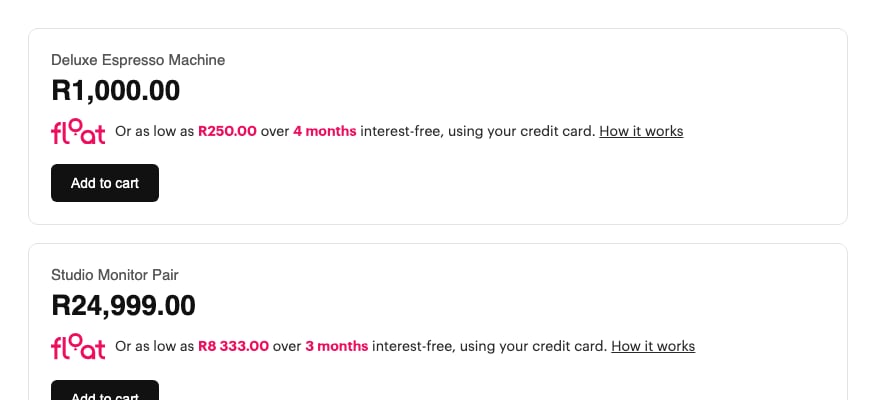
Two widgets on one page, each calculating from its own price and term.
If you already have a widget using
checkout.float.co.za/widgets/product-details-widget, see Upgrading from the old widget below. The old URL still works, but it renders the wrong amount when more than one widget appears on a page.Parameters
| Param | Required | Description |
|---|---|---|
price | Yes | The product’s current selling price in Rand, as a plain number (e.g. 1000 for R1,000.00, not cents). Use the final, post-discount, tax-included price. |
instalments | No | Number of interest-free monthly instalments to advertise (e.g. 4). Defaults to 3. The American spelling installments is also accepted. |
Keep the price in sync
If the price can change without a page reload (a variant picker, a quantity stepper, a discount code), callfloatUpdate on the rendered element:
<script> element also works, but floatUpdate avoids the re-fetch. Changing the src attribute on an existing script tag does nothing.
Handle missing or zero price
Don’t render the widget withprice=0 or blank. The script renders nothing at all in that case, rather than advertising R0.00. Suppress the widget for unpriced or out-of-stock items.
Multiple widgets on one page
Category, search, and “related products” pages can safely render as many widgets as they like. Each one is scoped to its own instance and calculates from its ownprice and instalments.
What’s included
The “How it works” link opens a modal that’s already wired up; you don’t need to link to the explainer page yourself or build a lightbox. The modal reflects the actual product price, so a R1,000 product shows a R1,000 worked example.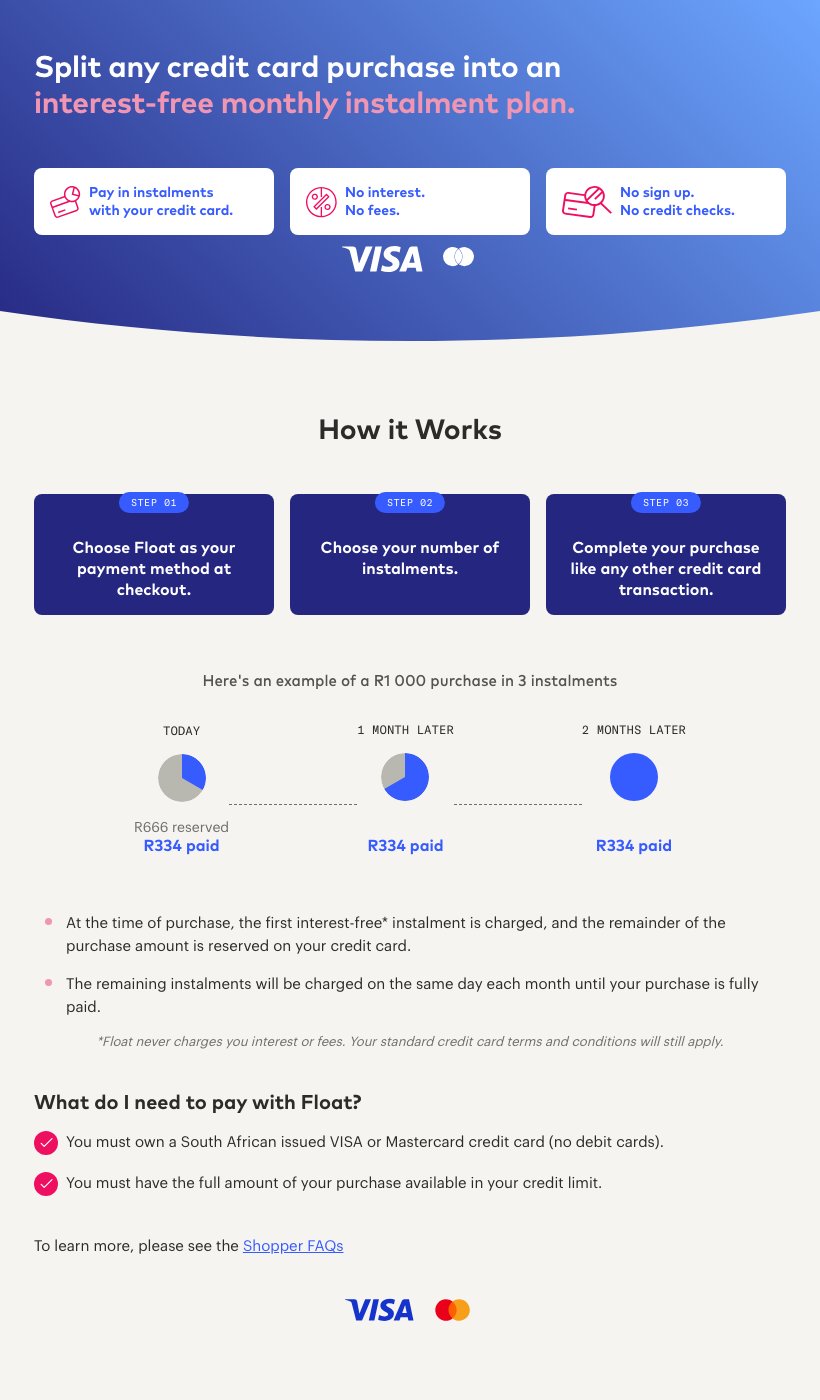
The explainer modal for a R1,000 product.
Upgrading from the old widget
The previous widget was served fromcheckout.float.co.za/widgets/product-details-widget. It still works, but it has a defect worth upgrading away from: with more than one widget on a page, every widget after the first overwrites the first one’s amount and divides by the wrong instalment count. A page showing an R1,000 product over 4 next to an R24,999 product over 3 advertises the first at R6,249.75 per month (24,999 ÷ 4).
To upgrade, change the script URL:
price and installments parameters carry over unchanged - the new widget accepts both spellings and the same units. No other changes are required.
Does this replace the accepting-payments checkout flow?
Does this replace the accepting-payments checkout flow?
No, this widget is purely on-page merchandising. You still create a checkout and redirect the shopper as described in Accepting payments once they choose Float.
Can I use a different currency or territory?
Can I use a different currency or territory?
The ZA widget is fixed to Rand (ZAR). UK merchants should use the UK bundle - see the UK documentation. If you need instalment messaging for another territory, compute and render it yourself using your merchant config.
Will it slow down my product pages?
Will it slow down my product pages?
The script is about 13 KB gzipped, served from a CDN with a long cache lifetime, and makes no API calls. The explainer modal is only fetched if a shopper actually opens it.